Site Agreement – Sign the Agreement and Submit
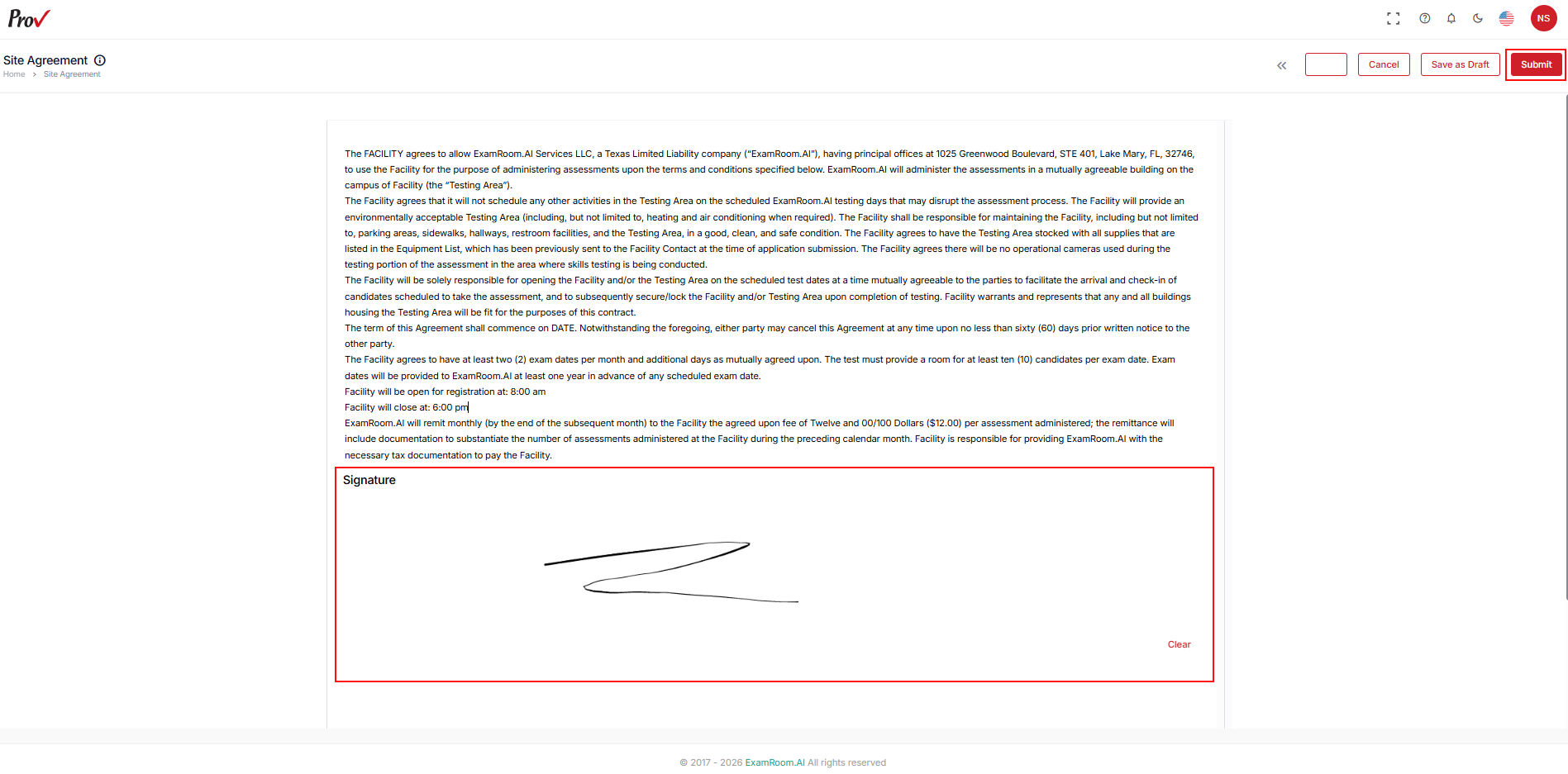
- In the Site Agreement section, read the Site Agreement and provide your digital signature under Signature to submit it.
- Use the Clear button to clear your signature and sign it again.
- Click the Submit button to submit the signed agreements for the test center.
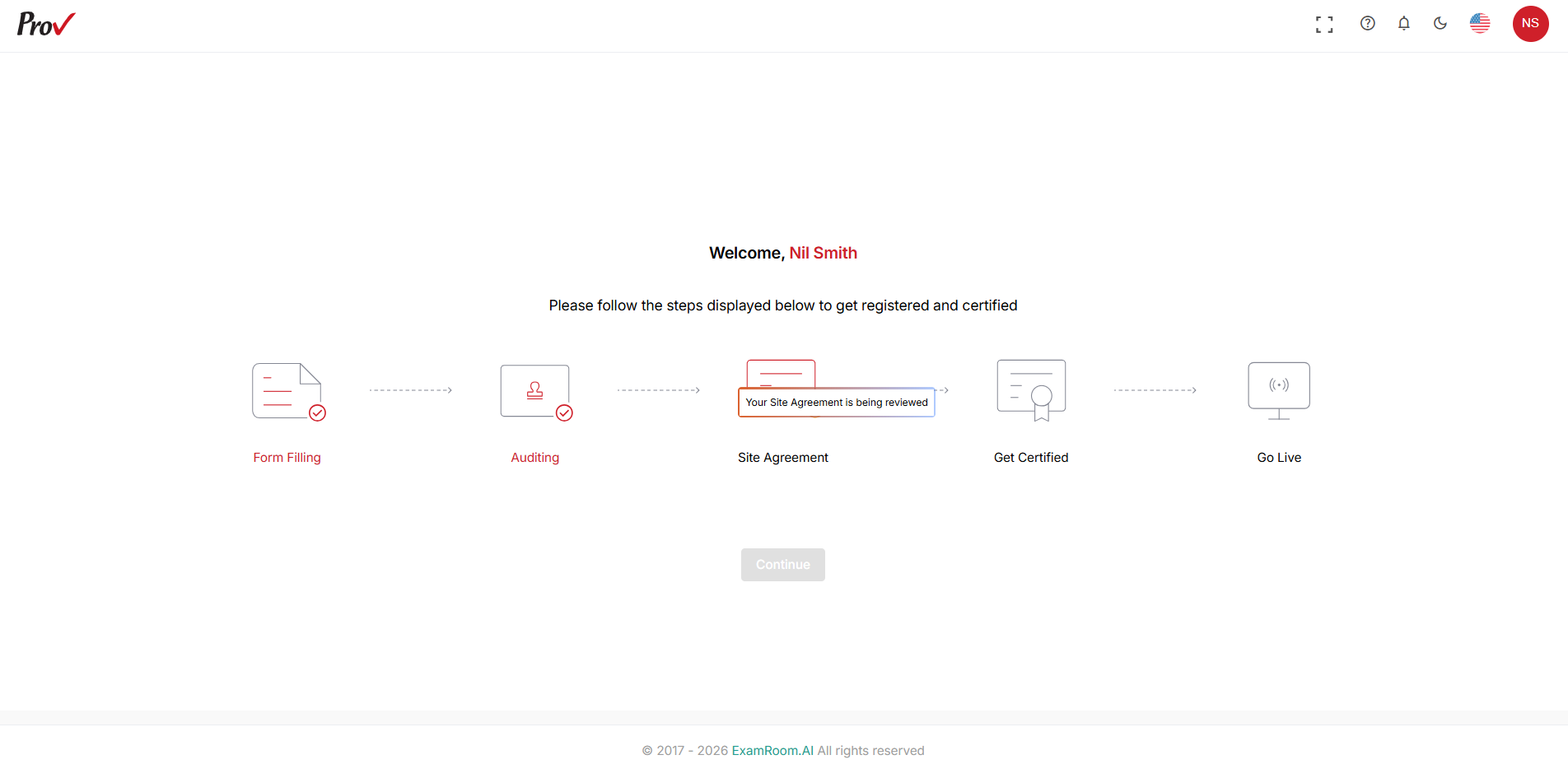
- After submission, you will receive a toast message stating that the site agreement is saved successfully and sent for review.
- Operations teams will review the Site Agreement and act (approve, reject, and request changes) accordingly.