Site Agreements
The Site Agreement section allows Operations Staff to review and process site agreements submitted by test centers. After a test center completes and signs the site agreement, the agreement is submitted to Operations Staff for verification and approval.
Operations Staff can review the agreement details and submitted signature, and then approve, reject, or request changes based on the review. Once the agreement is approved, the test center can proceed with the certification process and, after receiving the required certificate, go live. Operations Staff can also create a new site agreement from this section when required.
Site Agreement List
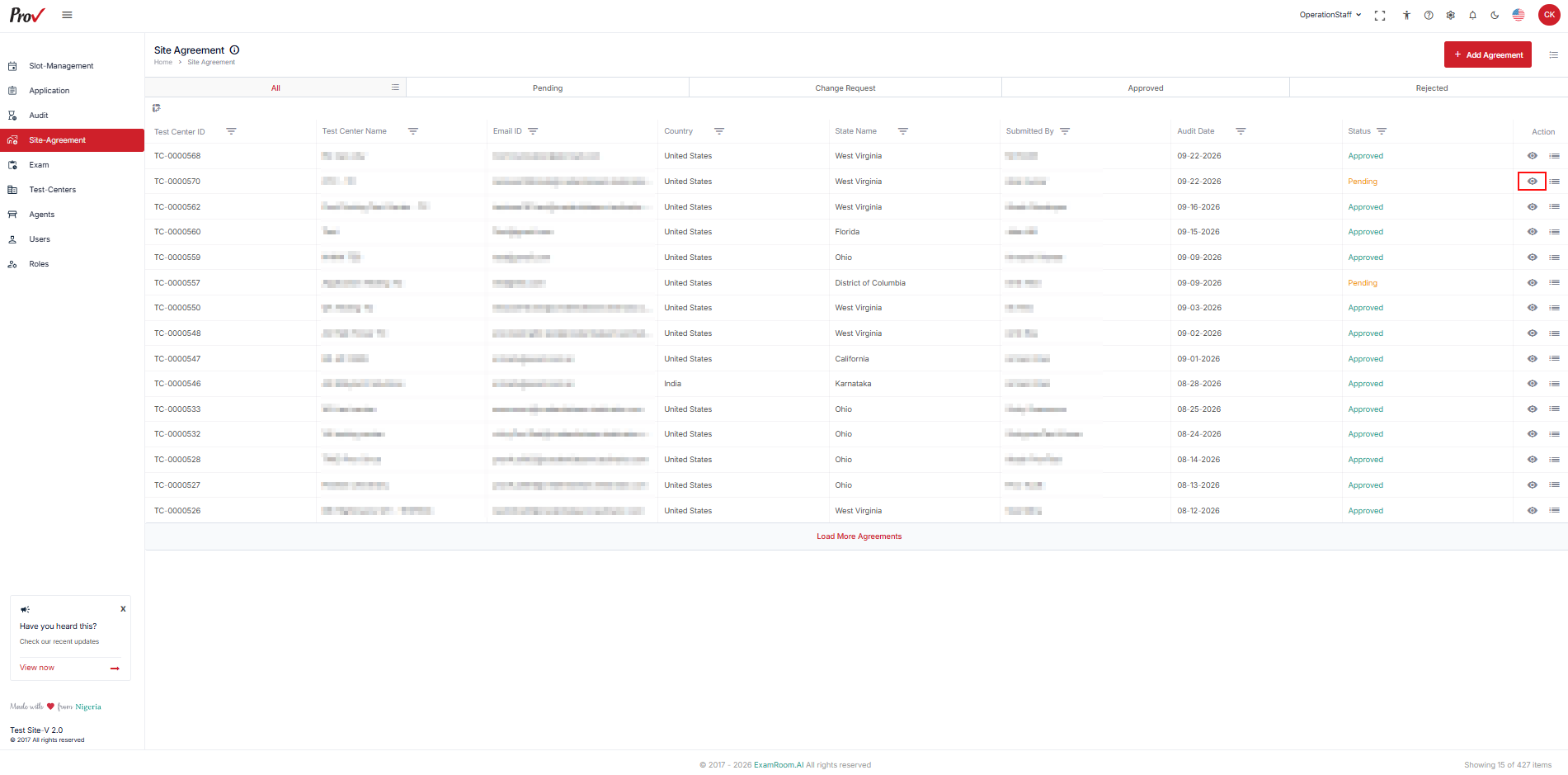
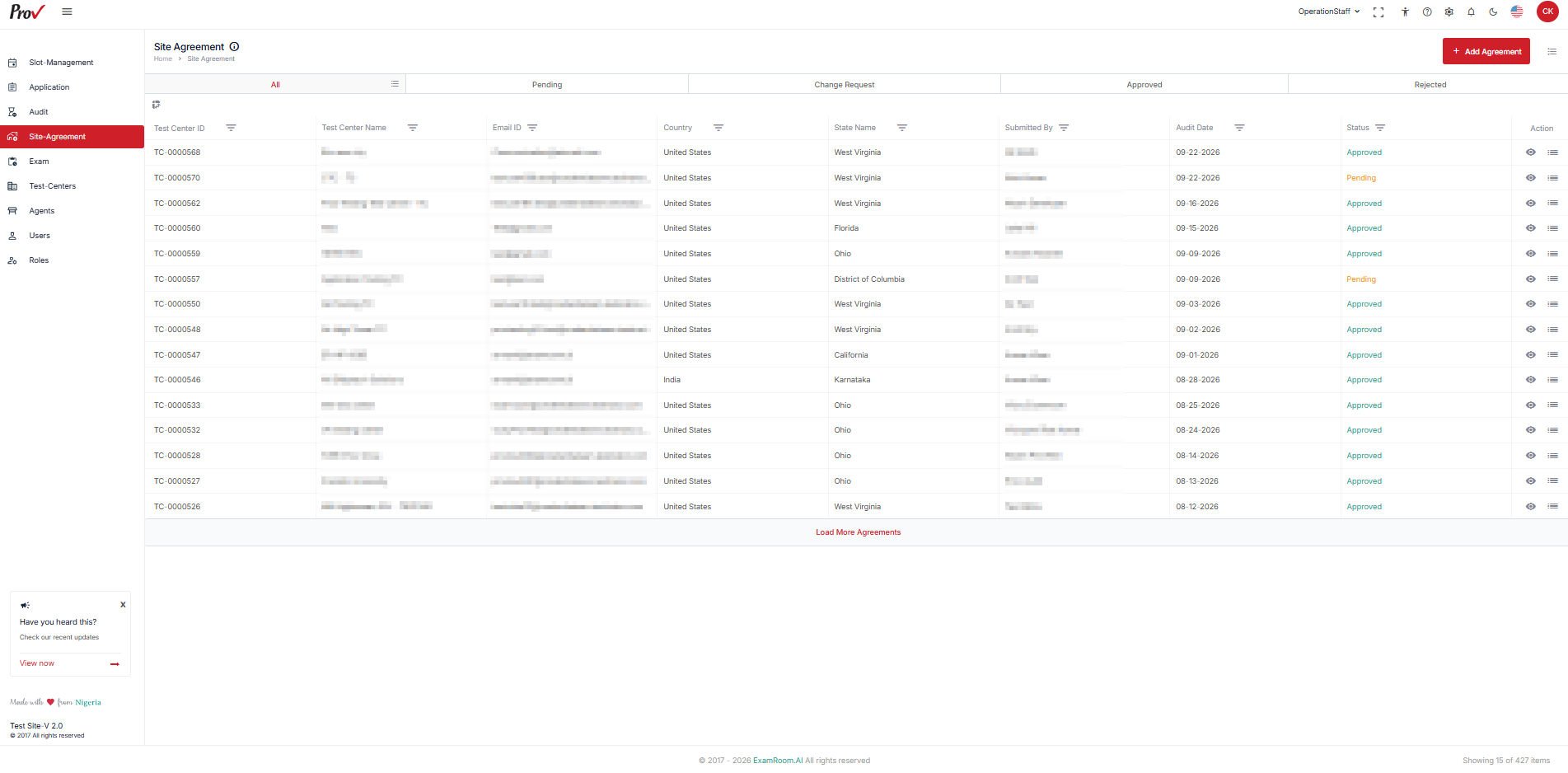
The Site Agreement page displays the site agreements submitted by test centers and their current status.
To access the Site Agreement list:
- From the left-side menu, click Site Agreement.
- The Site Agreement page opens.
- Review the submitted agreements and their current status.
- The page provides the following status tabs:
- All: Displays all site agreements.
- Pending: Displays agreements awaiting Operations Staff review.
- Change Request: Displays agreements for which changes have been requested.
- Approved: Displays approved agreements.
- Rejected: Displays rejected agreements.
- The Site Agreement list displays information such as:
- Test Center ID
- Test Center Name
- Email ID
- Country
- State Name
- Submitted By
- Audit Date
- Status
- Action
Note: The available actions depend on the current status of the site agreement.
Review a Site Agreement
When a test center submits a signed site agreement, Operations Staff must review and verify the agreement before processing it.
To review a site agreement:
- From the Site Agreement list, locate the agreement you want to review.
- In the Action column, click the View icon.
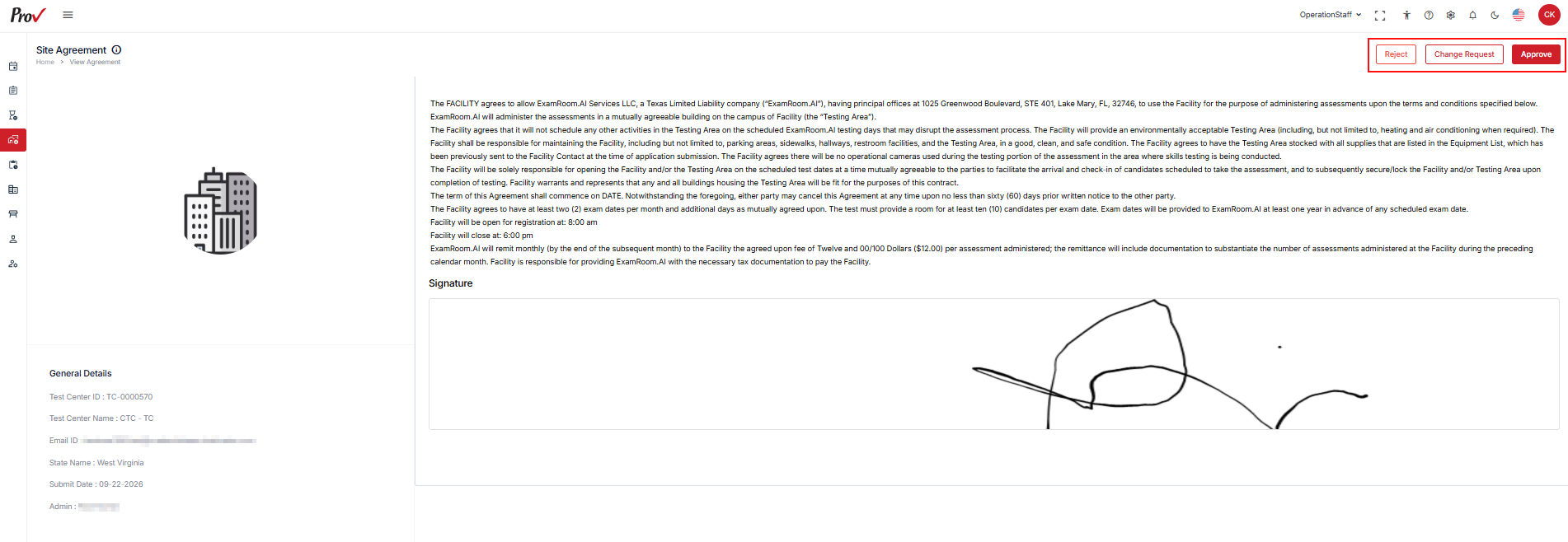
- Review and verify the site agreement and the submitted Signature.
- After reviewing the agreement details and signature, Operations Staff can take one of the following actions:
- Approve: Approves the agreement when all information is verified and meets the requirements.
- Change Request: Sends the agreement back for required changes or corrections.
- Reject: Rejects the agreement when it does not meet the required criteria.